


Connected planning, coordination, collaboration, and control in one environment
ApsCAS (Application Suite for Control and Automation Systems) is a professional project planning, coordination, collaboration, and control platform built for complex multidisciplinary work.
It brings planning, execution, approvals, communication, reporting, administration, and document workflows into one centralized environment. ApsCAS is designed for organizations that need clear structure, connected data, traceable decisions, and efficient teamwork across design, engineering, construction, operations, and administrative processes.
The platform is built to simplify everyday work. With an ergonomic interface, intuitive navigation, drag-and-drop interactions, and fewer unnecessary steps, teams can manage tasks, files, responsibilities, approvals, and communication in a faster and more organized way. Instead of spreading work across disconnected tools, ApsCAS helps teams keep planning, execution, review, and follow-up inside one consistent system.
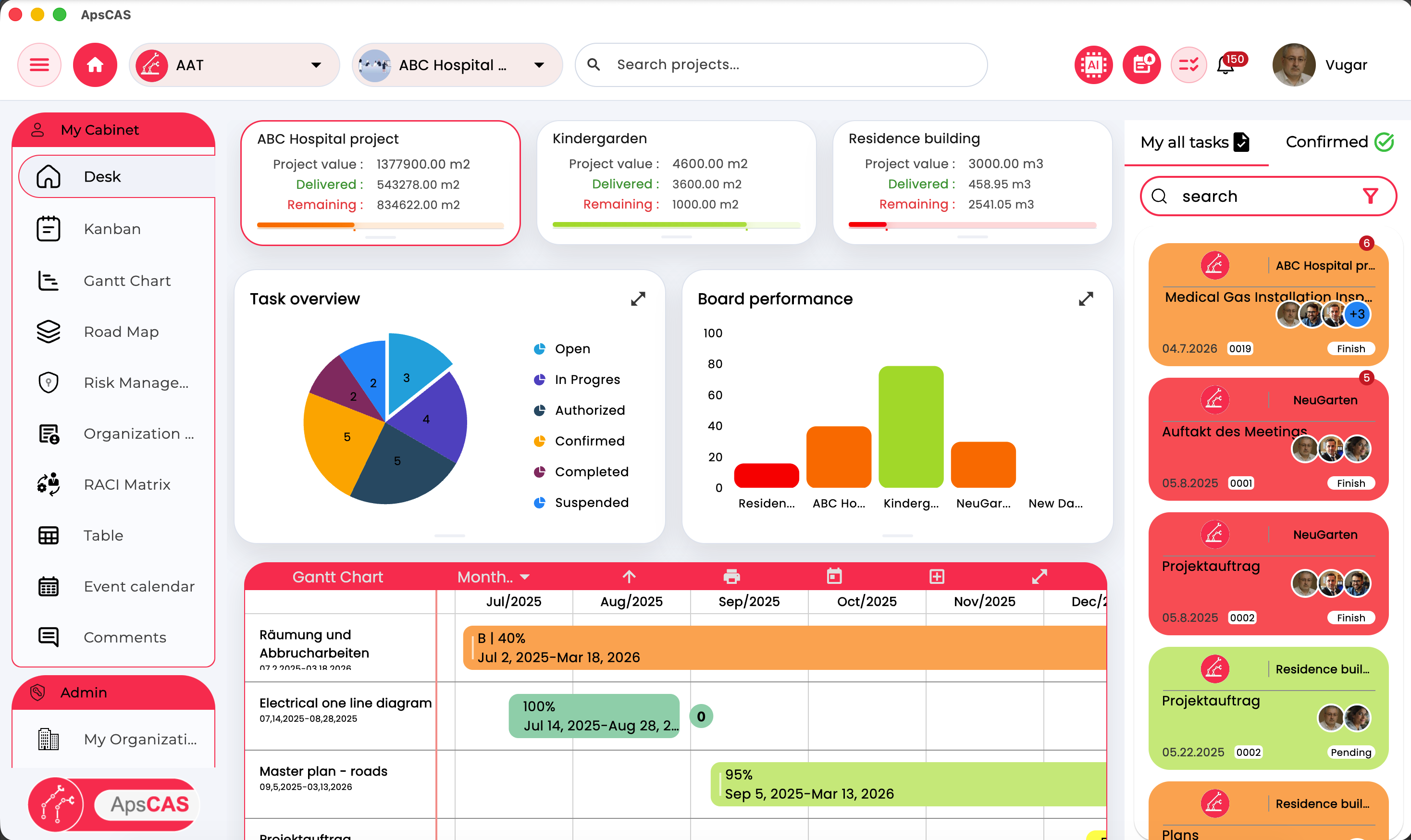
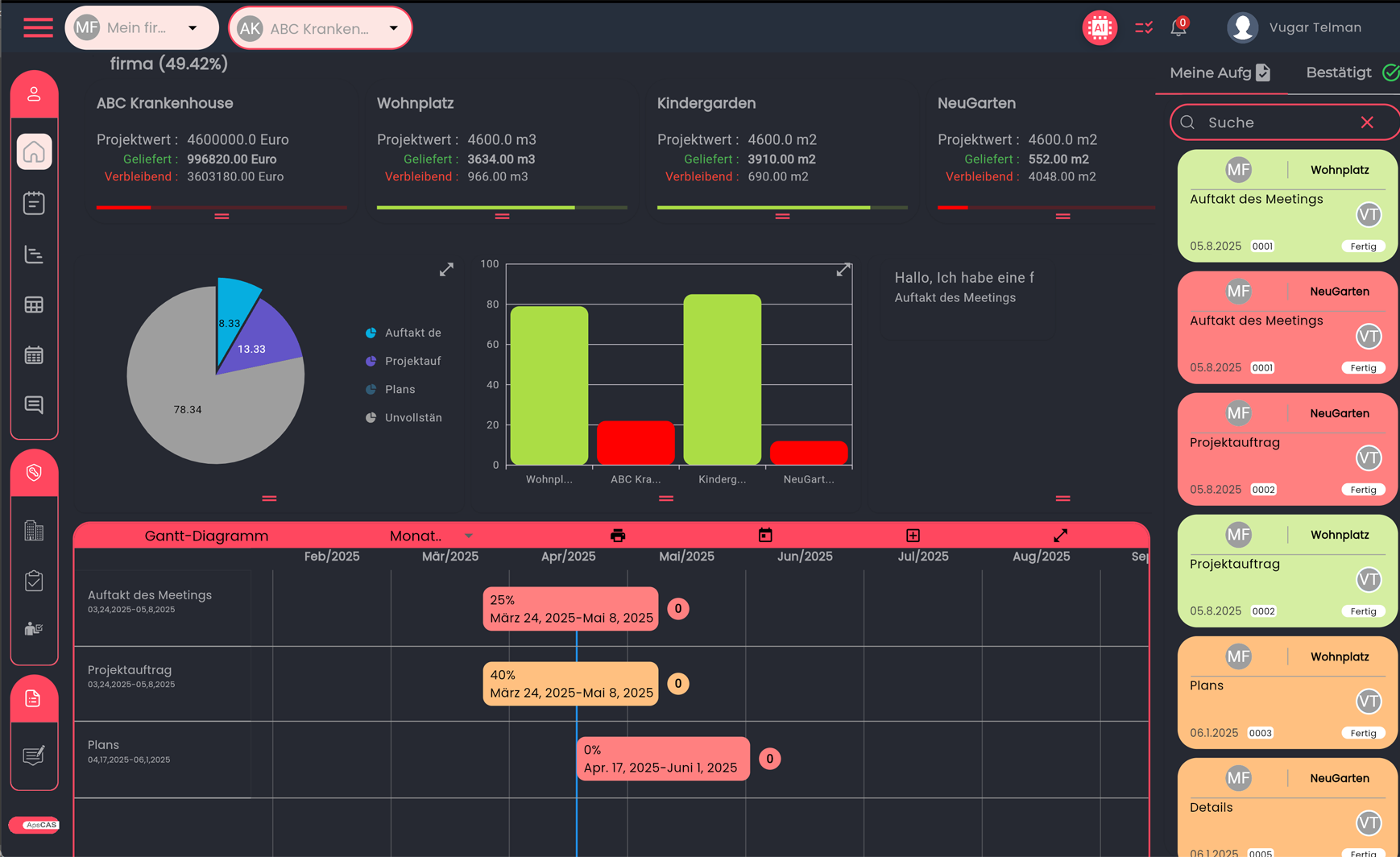
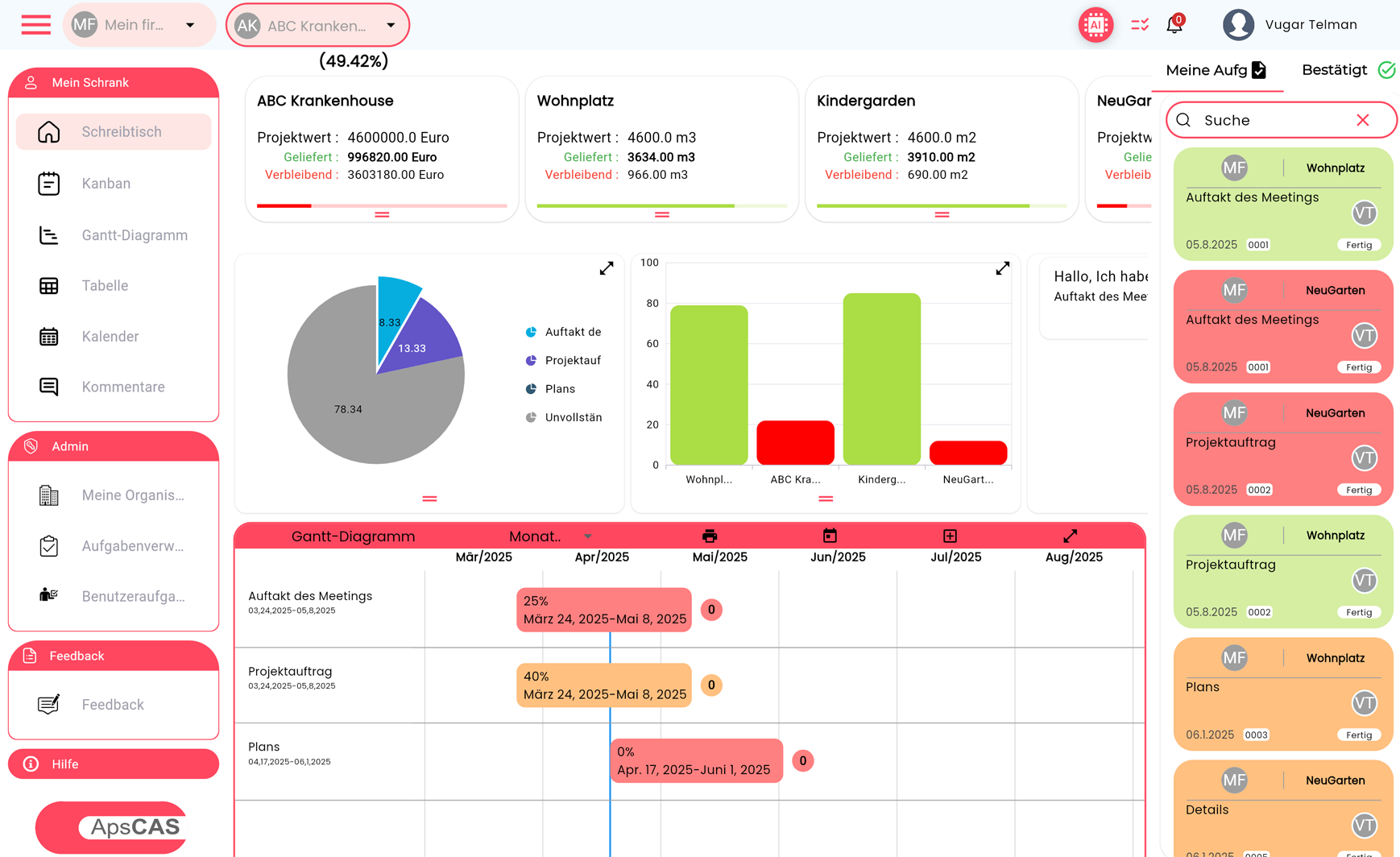
One screen keeps planning, delivery, and follow-up visible together
Teams can review progress, current workload, recent updates, and timeline impact without jumping between disconnected views.
Built for delivery across planning, execution, risk, and responsibility
From daily task coordination to high-level project oversight, ApsCAS keeps the same work visible across multiple modules so teams can move faster without losing context.
Interactive project visibility with metrics, charts, progress indicators, comments, and task summaries
The dashboard combines project performance, team activity, and timeline awareness in one place, making it easier to understand the current state of work and follow next actions.
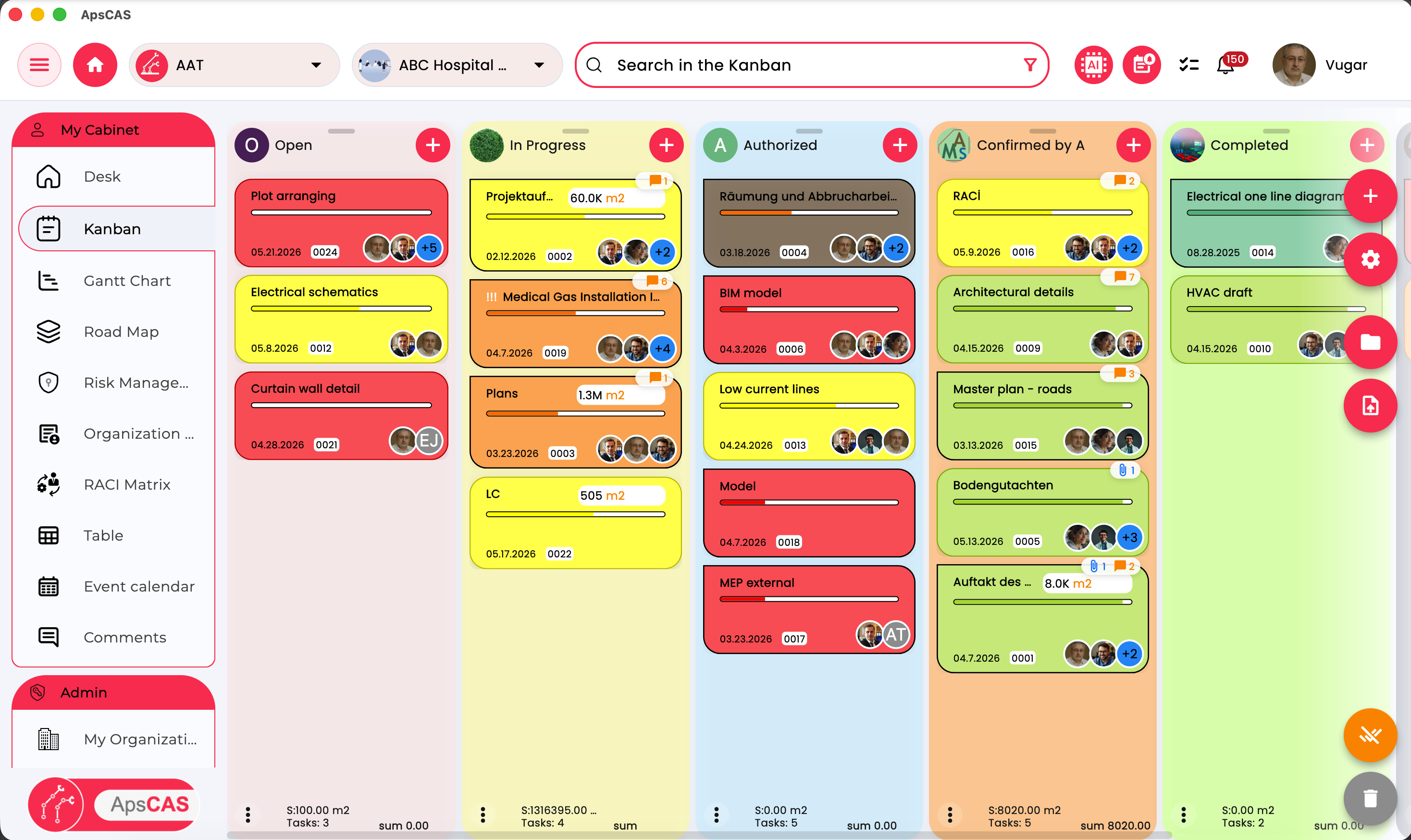
Streamlined planning, assignment, execution tracking, and team coordination
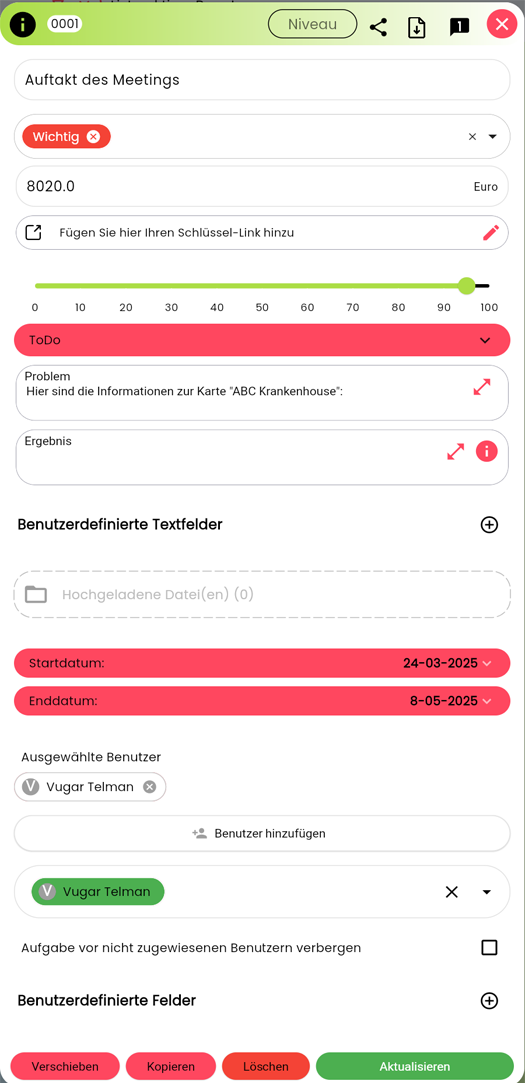
Teams can manage work with flexible task cards, stage-based progression, drag-and-drop updates, labels, subtasks, responsible users, and cross-workflow visibility.
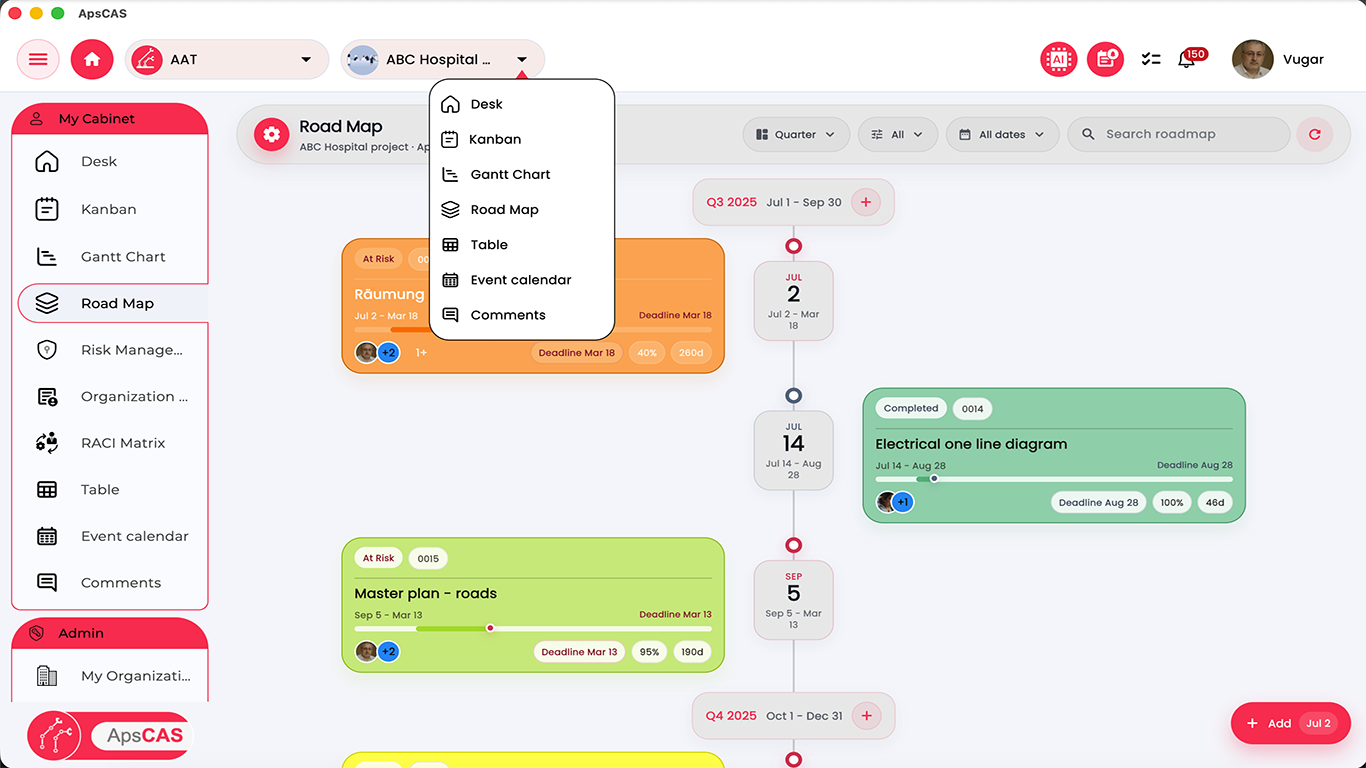
High-level planning, milestone visibility, related task context, and end-to-end oversight
Roadmap views help teams understand broader delivery sequences, dependencies, and where individual tasks sit inside the larger project timeline.
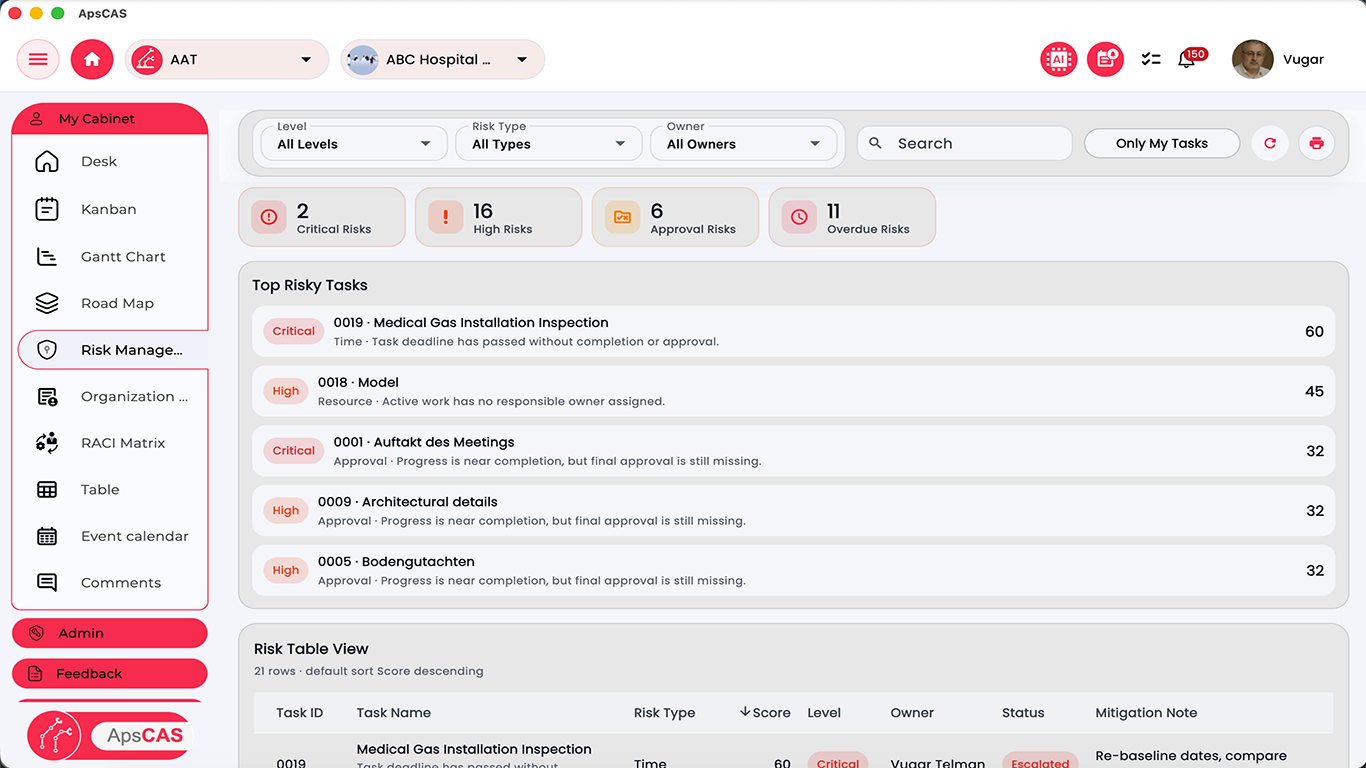
Structured identification, escalation, mitigation notes, and export-ready risk registers
ApsCAS supports issue tracking with risk levels, owners, mitigation notes, table analysis, and stronger visibility for teams that need early action and clearer accountability.
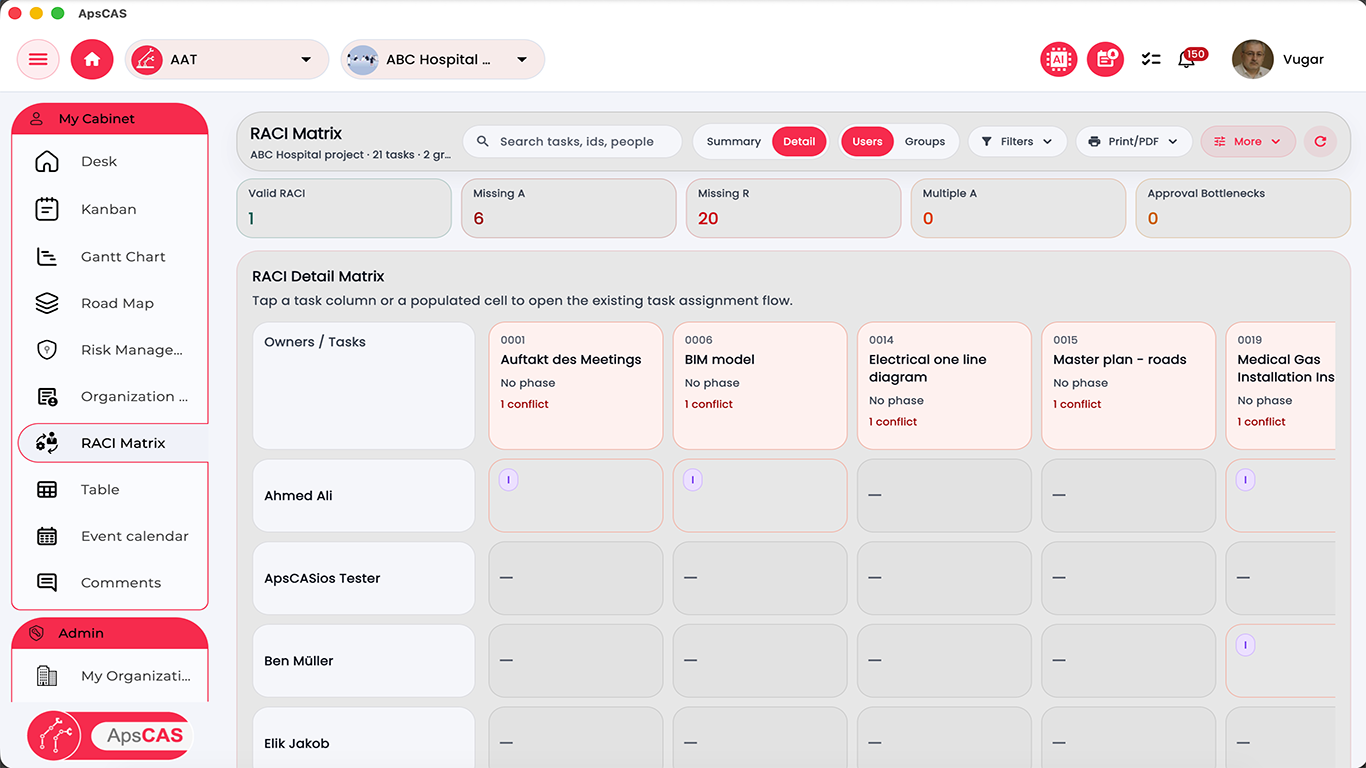
Ownership, accountability, approvals, responsibility views, and conflict detection
RACI views help organizations define who is responsible, accountable, informed, or approving each task while exposing missing assignments and approval bottlenecks.
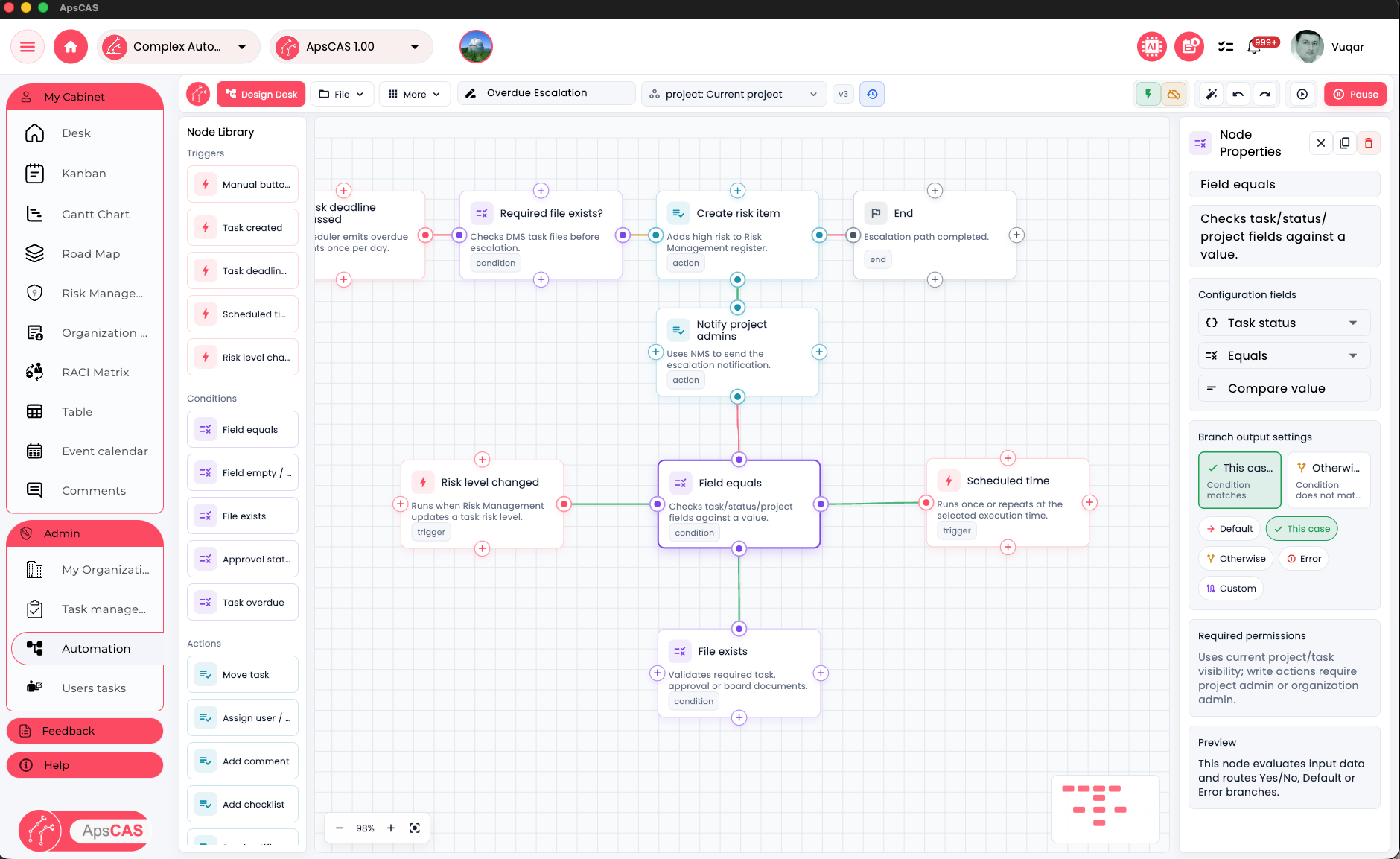
Design repeatable project workflows with a visual automation desk
ApsCAS automation helps teams turn recurring project rules into controlled workflows. Triggers, conditions, actions, notifications, and approval steps can be mapped visually so routine follow-up becomes consistent and traceable.
Trigger from real project events
Start automations from task status changes, overdue work, responsibility updates, approvals, file activity, or other project signals.
Route work with clear logic
Use condition nodes to decide what happens next, including escalation paths, team notifications, comments, assignments, and review actions.
Keep execution visible
Automated actions remain connected to the same tasks, projects, files, users, and responsibility views that teams already use in ApsCAS.
Key capabilities include
- Interactive dashboard with project metrics, charts, progress indicators, comments, and task summaries
- Kanban boards for streamlined planning, assignment, execution tracking, and team coordination
- Gantt charts for timelines, dependencies, milestones, schedule visibility, and interactive planning
- Roadmap for high-level planning, timeline visibility, related task context, and end-to-end project oversight
- Organization Execution Map for visualizing users, groups, projects, phases, and tasks in one connected workflow view
- Risk Management tools for identifying, monitoring, escalating, and mitigating risks and issues, with structured mitigation notes and export-ready risk registers
- RACI Matrix for defining roles, ownership, accountability, approvals, responsibility views, and conflict detection
- Table view for structured project analysis, task tracking, filtering, comparisons, and operational control
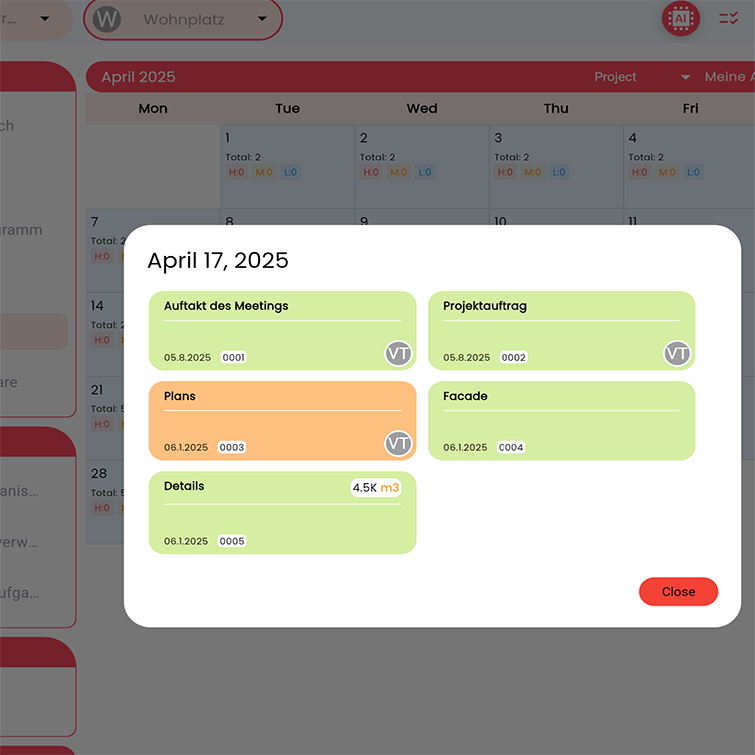
- Calendar view for deadlines, schedules, workload visibility, milestone planning, and time-based tracking
- Automation Design Desk for visual workflow rules, triggers, conditions, actions, escalations, and repeatable project follow-up
- Connected task cards across modules, allowing the same work item to remain visible and traceable across Kanban, Gantt, Roadmap, Risk Management, Calendar, Table, Admin assignment views, chat, and related project screens
- Cross-module navigation that helps users open the same task from different workflows and understand where it appears across the system
- Drag-and-drop assignment and reassignment across users and groups in Organization Execution Map
- Flexible ticket and task collaboration with support for sharing work with groups or individual users and inviting users directly into task workflows
- Advanced task cards with labels, dynamic fields, stages, subtasks, related tasks, web links, responsible users, progress tracking, and role-based visibility options
- Organization tools for files, approvals, structured workflows, task grouping, and controlled coordination
- Automatic file numbering and structured file storage based on project workflows and naming rules
- Advanced file workflows including move, rename, download, copy-to-task, show-in-task, add-to-comment, and add-to-AI actions
- Support for project documents, images, videos, audio files, PDFs, and structured file previews
- Built-in team messaging and collaboration around project content
- Separate comments and notes workflows with replies, mentions, emoji support, file attachments, and review history
- Visual collaboration tools for drawing, annotation, and commenting on files, images, PDFs, and project canvases
- Board announcements for project-wide updates and team communication
- Push, in-app, and native Windows notifications for issue escalation, updates, and follow-up
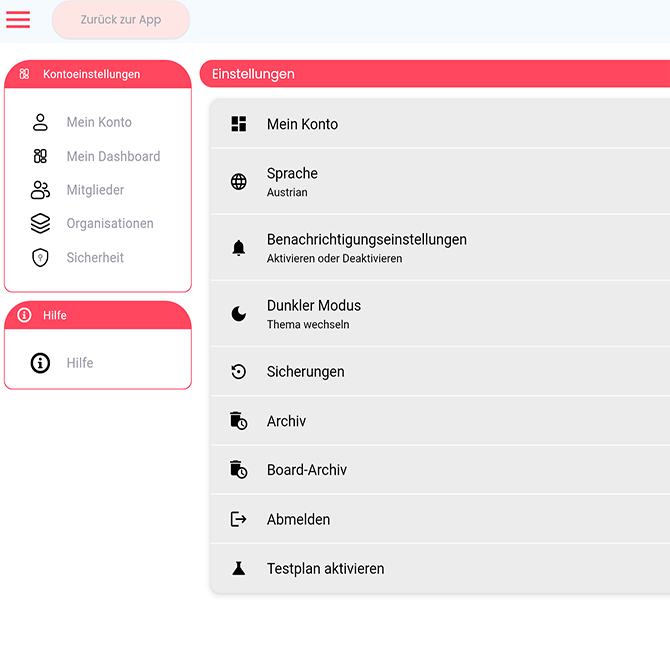
- Configurable notification preferences with work-hour and public-holiday settings
- Deep-link navigation for tasks, invitations, and authentication flows
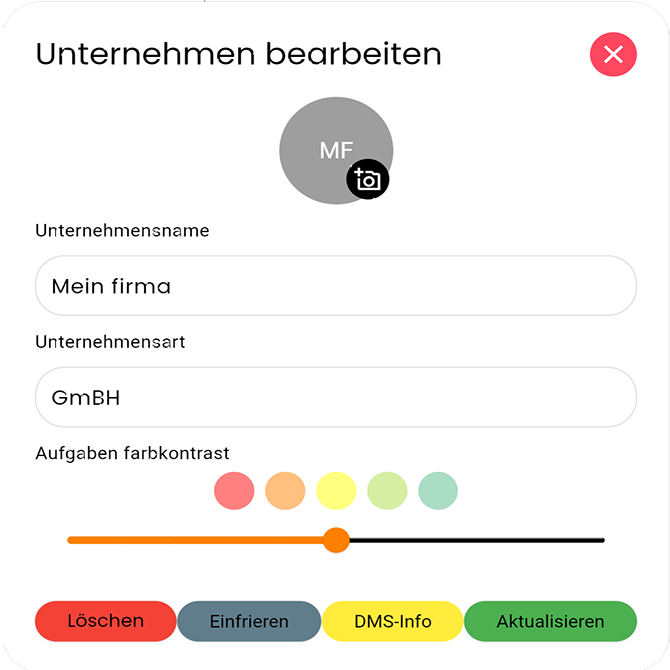
- Company, organization, member, group, and assignment management with invitation-based onboarding and controlled access
- Admin tools for workspace setup, organization management, user control, board templates, subscription visibility, security settings, and activity oversight
- User activity logs and active user presence for stronger administrative monitoring and awareness
- Social sign-in with Google, Microsoft, and Apple
- Security features including two-factor authentication and controlled access management
- AI-powered support for analysis, organization, reporting assistance, AI chat workflows, and faster project updates
- Excel and PDF export tools for planning, reporting, and control views
- Template and import/export tools for faster project setup, reuse, and documentation workflows
- Editor undo/redo support for more flexible and confident content editing
The same task stays connected from planning to review, approvals, and follow-up
ApsCAS is designed to keep project information connected. A task created in one workflow does not become isolated from the rest of the platform. The same work item can be followed across planning, scheduling, risk tracking, collaboration, calendars, tables, dashboards, and administrative assignment views with consistent details and context.
This helps teams reduce duplication, understand relationships between workflows, and move more confidently across the system. The platform is especially suitable for design studios, construction companies, engineering firms, consultants, and organizations managing complex projects where visibility, teamwork, accountability, and document control are essential.
Instead of spreading work across disconnected tools, ApsCAS helps teams keep planning, execution, review, and follow-up inside one consistent system.
Shared task data, cross-module navigation, role visibility, and approval context help teams move faster with less duplication and clearer accountability.
Start with limited free access, then expand when the workflow fits
ApsCAS offers a limited free entry for teams that want to validate the workflow in practice before a wider rollout across organizations, projects, and responsibilities.
Pilot teams and internal evaluation
Use the initial free entry to test planning, assignment, visibility, ownership, and execution workflows in a real project context.
Broader rollout and guided setup
When your team needs a stronger operational setup, onboarding guidance, or a better organizational fit, we can help shape the next step.
Choose the fastest way in
Go directly through the store for a quick start, or contact us if you want guided evaluation, setup support, or team onboarding.